For iPhone
Know who's listening.
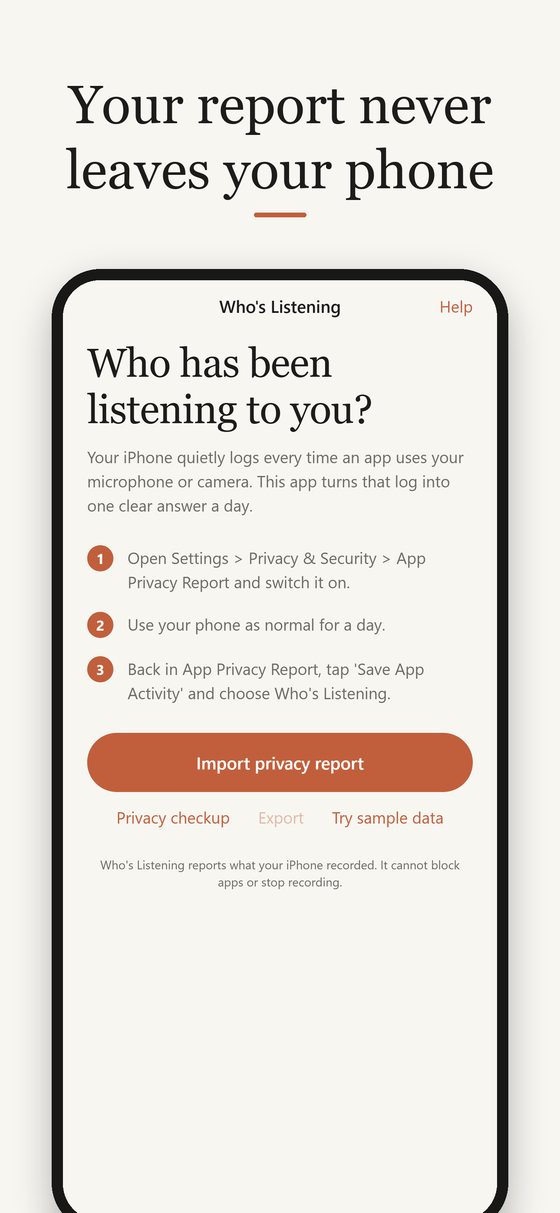
Your iPhone quietly logs every time an app uses your microphone or camera. Who's Listening turns that log into one clear answer a day.
£9.99, once. No subscription, no account, and nothing leaves your phone.
Three steps, about a minute
Switch on the report
In Settings > Privacy & Security, turn on App Privacy Report. It only records from then on.
Use your phone
Carry on as normal. Apple keeps the last seven days.
Save and open
Tap Save App Activity and choose Who's Listening. You get a plain-English report straight away.
What you see
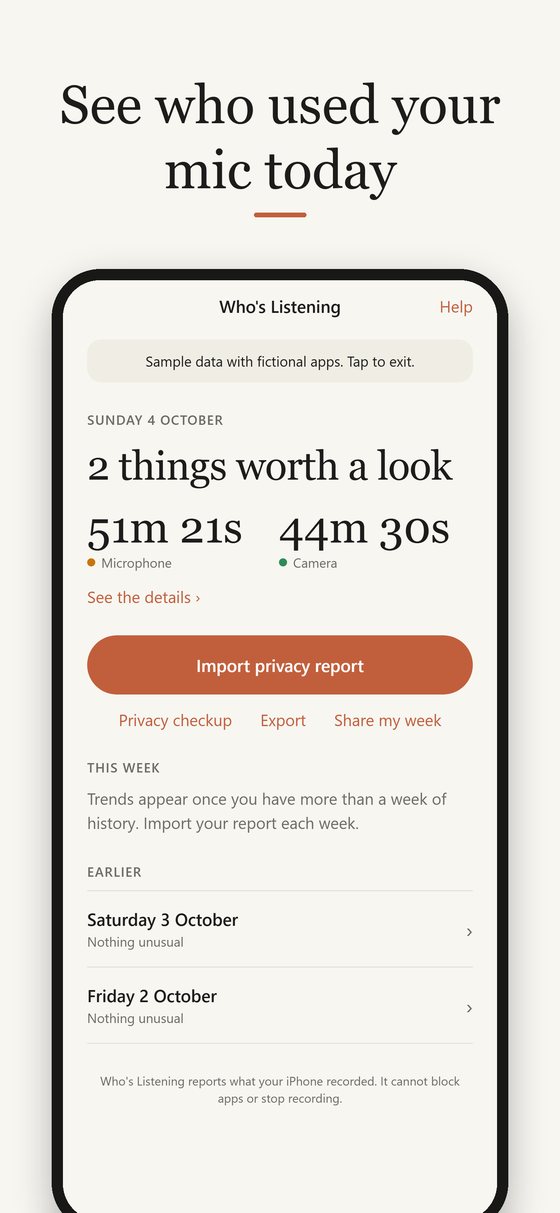
One clear answer a day
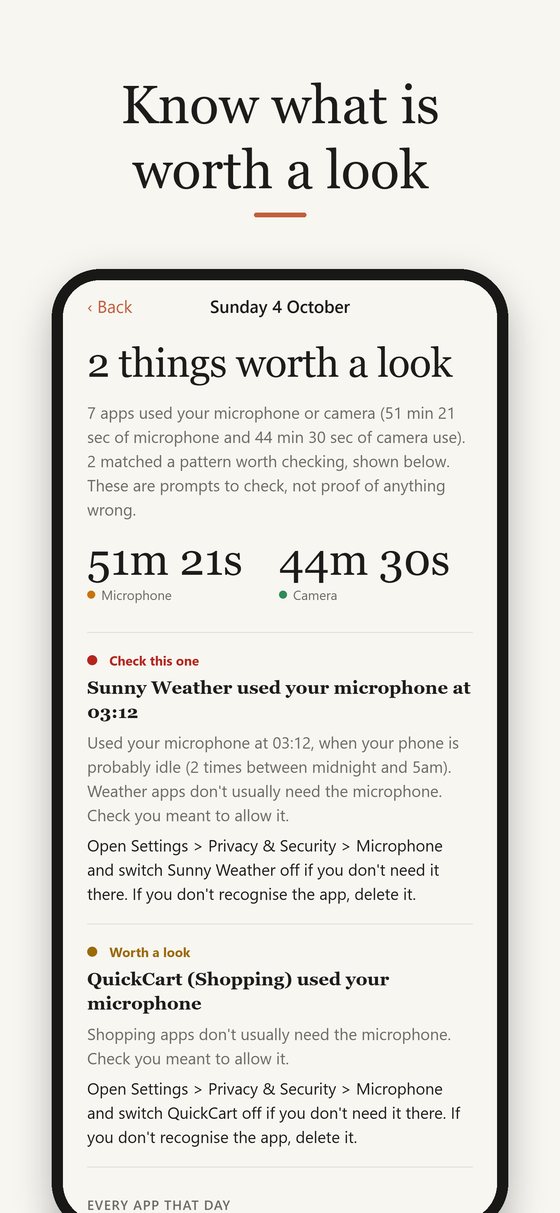
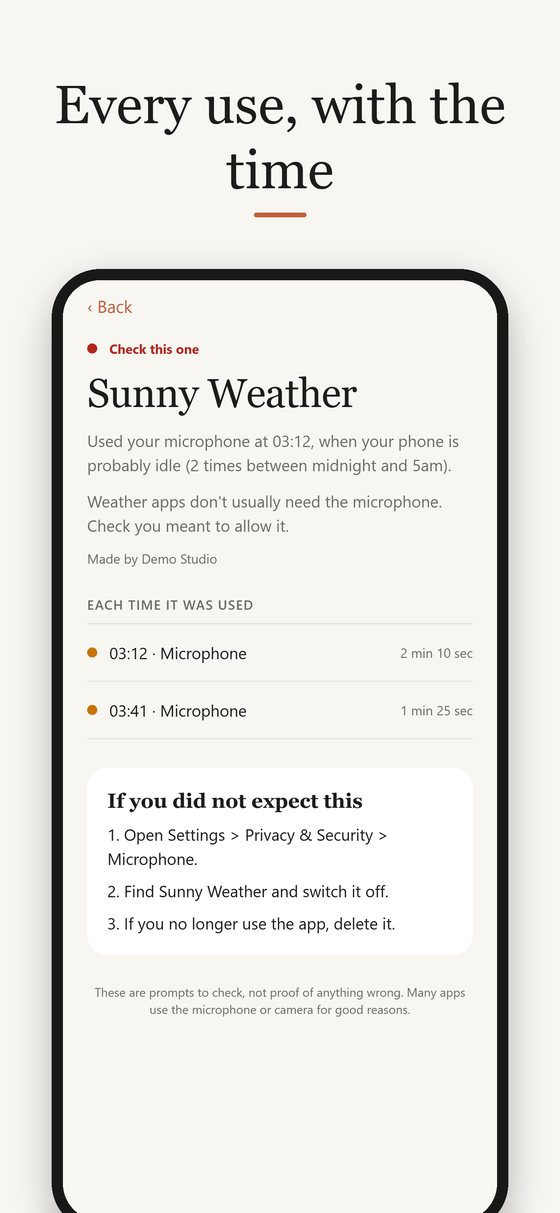
Which apps used your mic or camera, how often and for how long, and anything worth a second look, such as a weather app using the microphone at 3am.
What to do about it
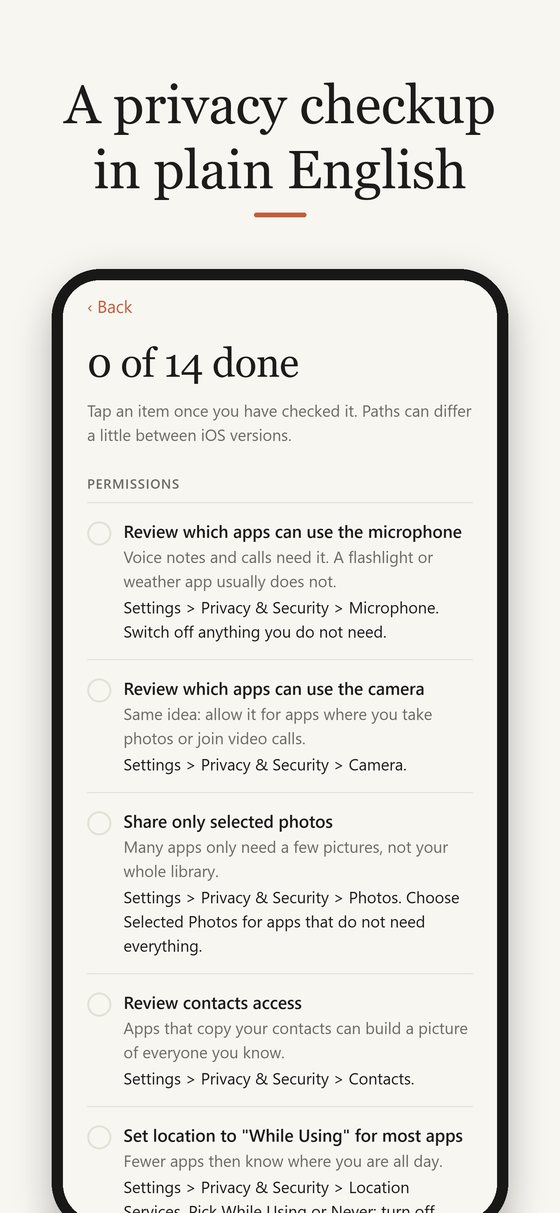
Every flagged app comes with the exact Settings steps to switch it off, and a 14-point privacy checkup for the rest of your phone.
One price. Everything included.
Who's Listening
£9.99 once
No subscription, no in-app purchases, no ads.
What you get
- A plain-English report for every day, with summary
- Full history, beyond Apple's seven days
- Weekly trends and new apps
- Your own quiet hours
- Switch-off guide for every app and a 14-point privacy checkup
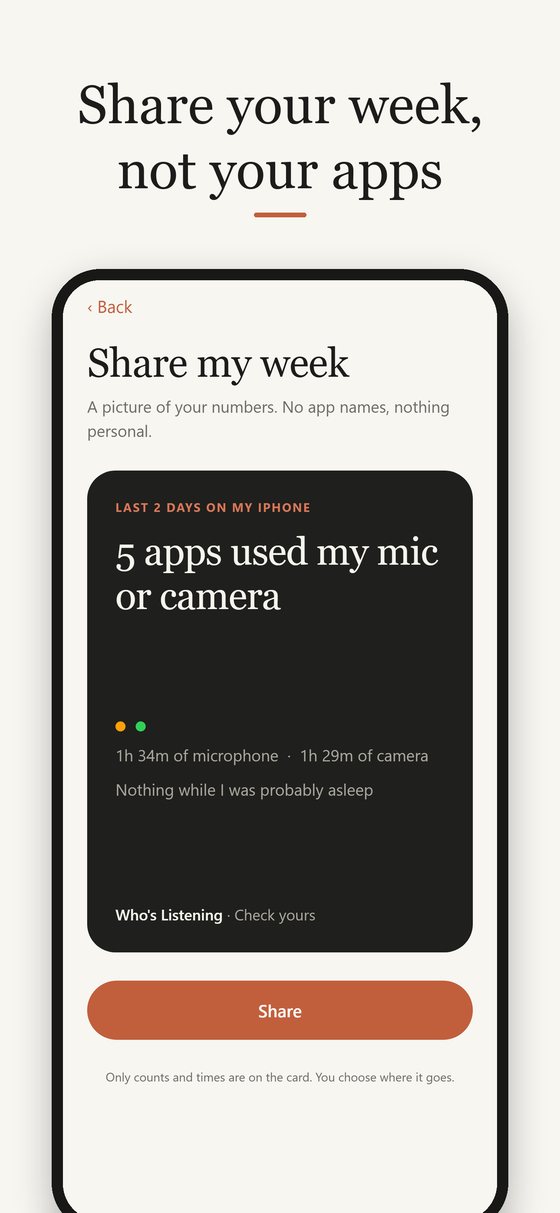
- Weekly reminder, PDF and spreadsheet export, Share my week card
- Future updates for as long as the app is available
Private by design
Your report is read and stored on your phone. There is no account, no tracking inside the app and nothing is uploaded. The only request the app makes is to Apple's public App Store, to look up each app's name and category.
What it can't do
Who's Listening shows what your iPhone already recorded. It cannot block apps, see inside them, or show who is listening right now, and a flag is a prompt to check, not proof of anything. The orange dot on your screen means microphone and the green dot means camera: those are Apple's live indicators.
Questions
Does it stop apps listening?
No. It reports what already happened. To stop an app, switch off its microphone or camera permission in Settings, which the app shows you how to do.
Can it find hidden microphones or spyware?
No, and any app that claims to find hidden microphones from your phone should be treated with caution. Who's Listening reads Apple's log of apps on your iPhone.
Does the app collect my data?
No. Your report stays on your phone. If you sign up for launch news here, your email address is used only for that, as the privacy policy explains.
Why do I have to save the file myself?
Apple does not let apps read the privacy log automatically. You save it from Settings and open it in Who's Listening, which takes a few seconds.
Which iPhones does it work on?
iPhones running iOS 15.2 or later, the version that introduced App Privacy Report.
Why does it say "worth a look" and not "suspicious"?
Because many apps use the microphone or camera for good reasons. The flags come from simple rules, such as use during your quiet hours or in app types that rarely need a microphone, and they are prompts to check.
Is there an Android version?
Not at present.
Get one email when it launches
Send a short email and you will get one reply on launch day. Nothing else, and your address is deleted after that.